Skip to content
What's new

What's new in Envoy.

Envoy changes every week. Here is what has been added, month by month, newest first.

  1. Social

    Social posts, written from your own news.

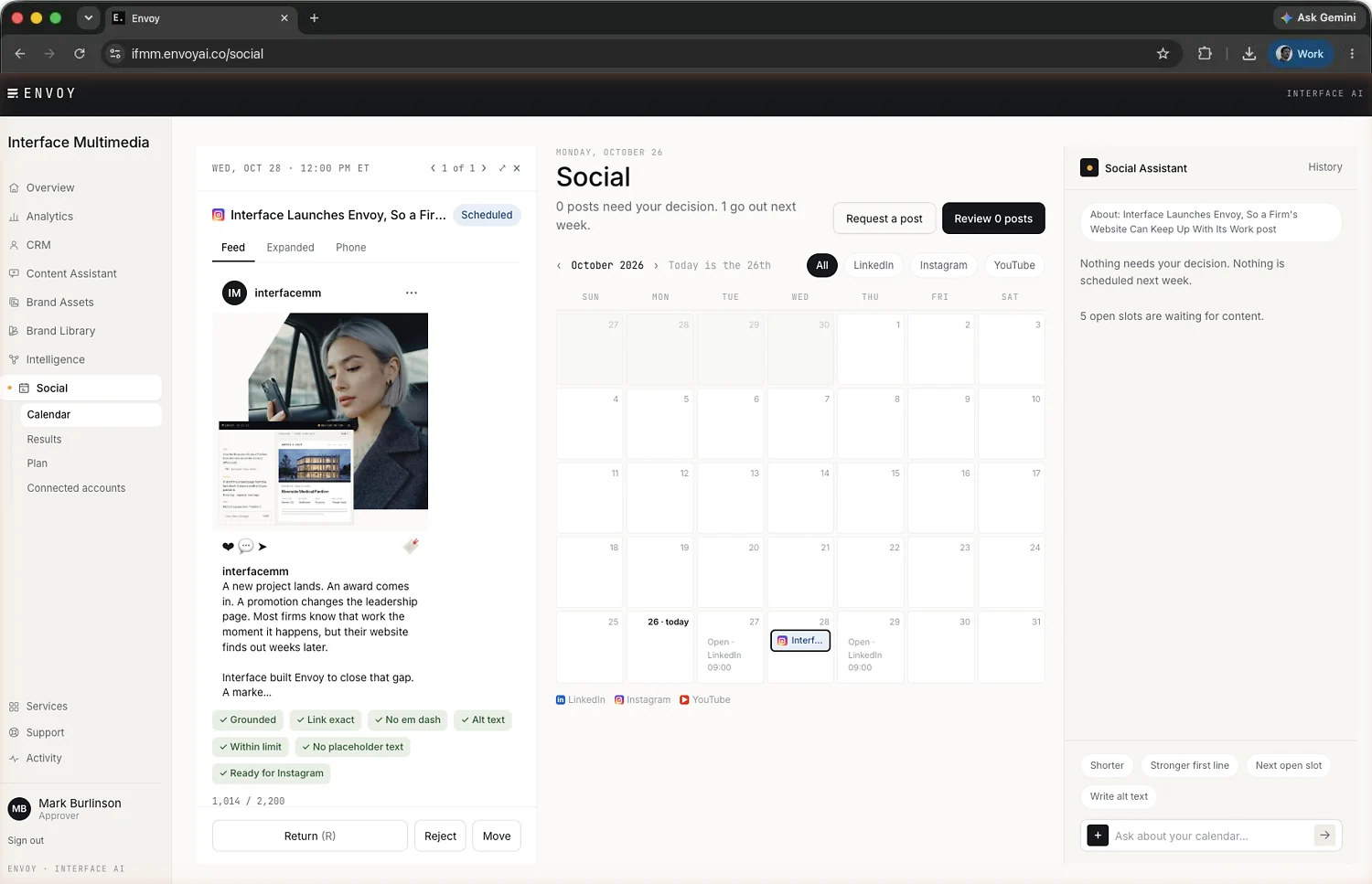
    Plan a month of LinkedIn and Instagram posts on one calendar. Pick a news story or project page, or paste a link, and Envoy drafts the post from it, attaches the page's image and checks each fact against the source. You review the post as it will appear, adjust it, and schedule it into an open slot. Connecting an account brings in its past year of posts and engagement, so Results starts with history.

    Interface's Envoy Social calendar with an Instagram post open for review beside the Social assistant.
    See it in Features
  2. Events and registration

    Your events calendar sets up sign-up.

    Events published to your site's calendar now create and update their registration sessions on their own. When an event looks like one your team already set up by hand, Envoy flags it for staff instead of making a second copy.

    See it in Features
  3. Events and registration

    Sign-up forms on your own website.

    A sign-up form can now open inside a page of your website, so visitors register without leaving it.

    See it in Features
  4. Events and registration

    Register for several dates at once.

    Attendees can choose up to ten dates on one form, and each person receives a single confirmation that covers all of them.

  5. Member access

    Member access.

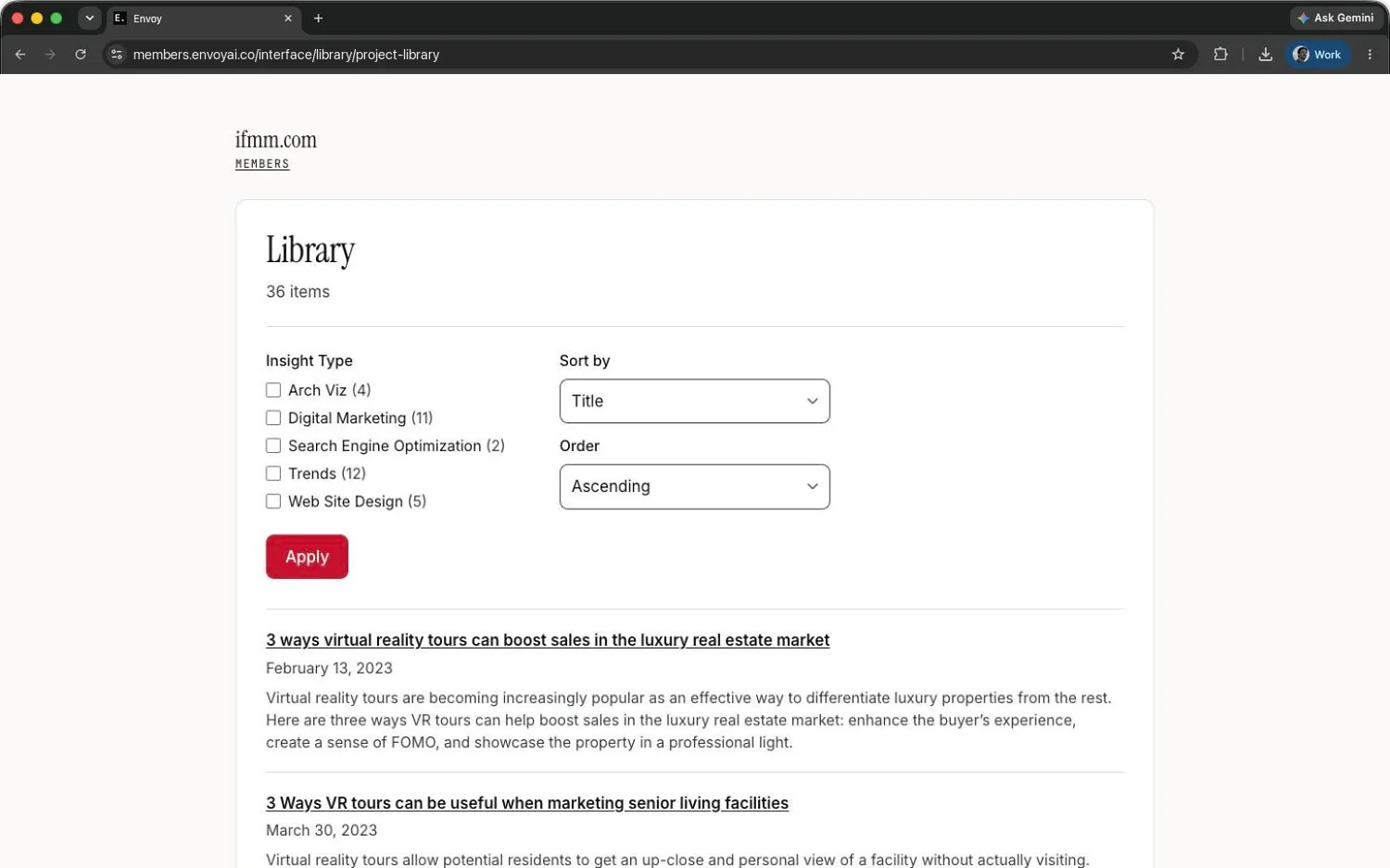
    Put progress reports, libraries, pages and files behind a sign-in in your brand. Invite people, import an existing list, or let people ask to join and approve them yourself. Groups decide who sees what, access can end on a date you set, and a setup checklist walks your manager through the first steps.

    A members' library behind a sign-in in Interface's brand, from Interface's demo workspace.
    See it in Features
  6. Brand assets

    Upload to Brand Assets.

    Approvers can now add files from the Brand Assets screen. New files show as processing until they join the library Interface's design team maintains.

    See it in Features
  7. Events and registration

    Events and registration.

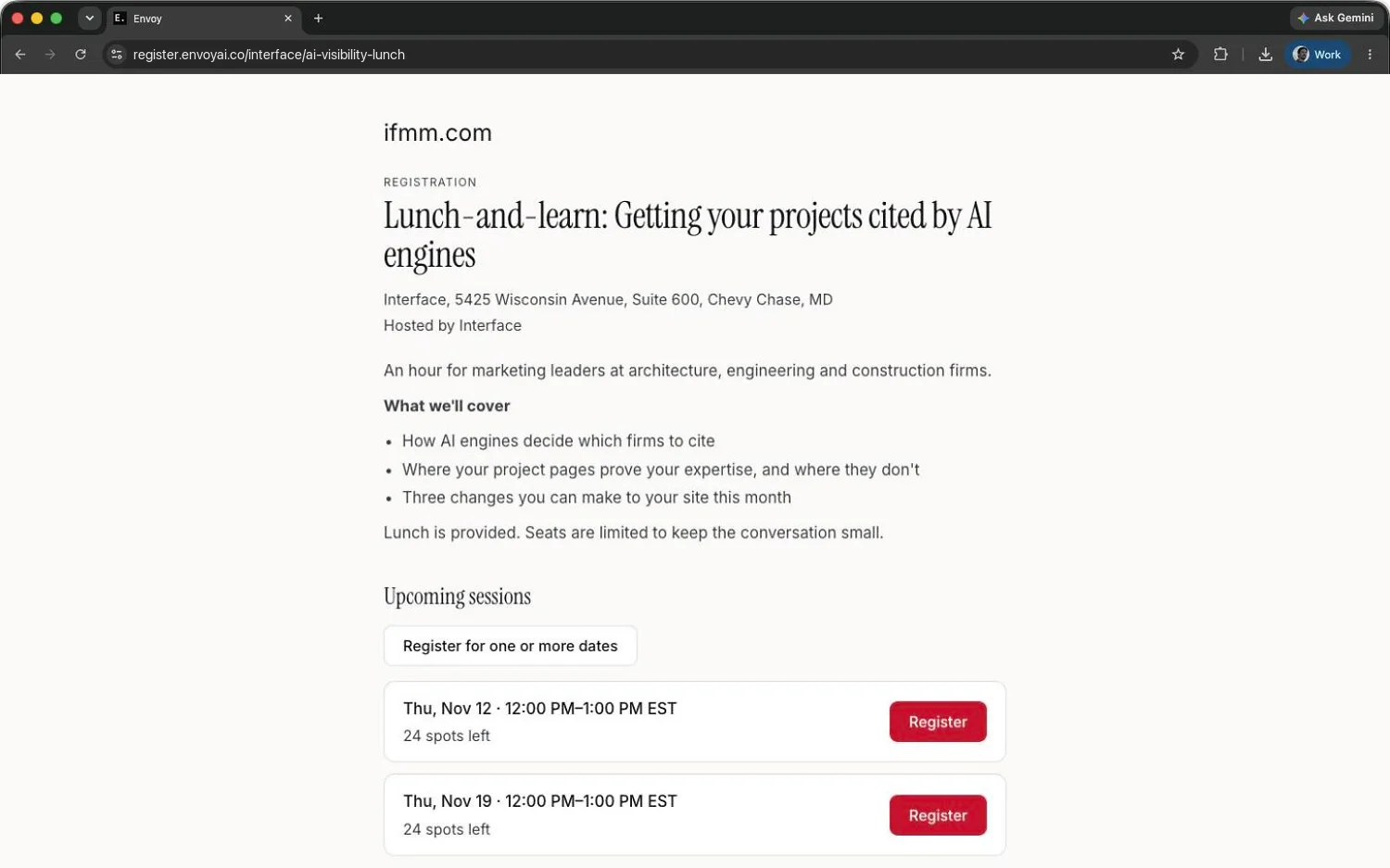
    Sign-up pages in your brand for tours, sessions, classes and events. Each session has its own capacity and waitlist, agreements are signed online and kept as PDFs, staff can add walk-ins, and hosts receive their rosters. Confirmation, waitlist and cancellation emails go out on their own, suspected spam is held for staff to review, and answers marked sensitive are stored encrypted.

    A sign-up page in Interface's brand for a lunch-and-learn, from Interface's demo workspace.
    See it in Features
  8. CRM and leads

    Inquiries from more than your website forms.

    Booking requests and forms built outside Webflow now arrive in the same inbox as website inquiries, 25 to a page.

    See it in Features
  9. Content assistant

    Attach a file from the composer.

    A + button beside Send adds a document to the conversation, so a fact sheet or a draft bio can go straight to the assistant.

  10. Overview

    Recommendations you can act on.

    The overview now lists only recommendations the assistant can carry out, and work that is waiting on you comes first.

    See it in Features

  1. Approval and publishing

    What changed, at a glance.

    Each draft now opens with a short summary of what the revision changes, before you read the page.

  2. Brand library

    The Brand Library.

    Your brand's colors, typefaces, type scale, buttons, links and voice, taken from the live site. Flip a color to see its HEX, RGB, CMYK and CSS values.

    See it in Features
  3. AI-engine visibility

    Which AI engines repeat each claim.

    The gap table now shows how far each claim is from being cited, and which AI engines already repeat it.

    See it in Features
  4. Approval and publishing

    Publish from the conversation.

    Approvers can ask the assistant to publish a draft, and it confirms before the page goes live. The preview now follows whichever item you're discussing, and Envoy reminds you about drafts that stall or are missing fields.

    See it in Features
  5. AI-engine visibility

    AI-engine visibility, inside Envoy.

    The Lifecycle, Mine the Gap and Proof views now open in the portal, beside the rest of your site's work. Click a claim to see the evidence behind it.

    See it in Features

  1. Approval and publishing

    See when a colleague has a draft open.

    If someone else is already working on a draft, Envoy tells you before you start, and asks before anyone discards another person's changes.

  2. Overview

    Recommendations that open as a conversation.

    The overview gathers Envoy's recommendations for your site. Open one and the assistant starts the conversation, already briefed.

    See it in Features
  3. Content assistant

    Work from documents you already have.

    Attach a PDF, Word file, spreadsheet or text file, and the assistant builds the page from what it says.

    See it in Features

  1. Content assistant

    The page beside the conversation.

    Drafts now render in your site's own template next to the chat, and can be published from the preview.

    See it in Features
  2. CRM and leads

    Every inquiry in one inbox.

    Website form submissions arrive with the page and form they came from. Spam is set aside rather than deleted, and the list exports for business development.

    See it in Features
  3. Brand assets

    Brand Assets.

    Approved logos and photography, synced from the library Interface's design team works from and browsable by folder.

    See it in Features

  1. Milestone

    Envoy opens to its first clients.

    The first client portals go live: marketing teams describe a change, review the draft in their own site template, and publish it.

  1. Milestone

    A first working version.

    Envoy's first version runs against a real site: an assistant that knows the firm's projects and people, and drafts website content in the site's own structure.

  1. Milestone

    Shaping the platform.

    We mapped what a marketing platform would need to know about a firm, its projects, people, expertise and website, and how a marketing team would work with it day to day.

  1. Milestone

    Where Envoy started.

    Interface began working on an idea: an AI assistant that already knows a firm well enough to build and manage its website content.

See it on a site like yours.

A working session, and how Interface would run yours.
Request a demo

Pick a time that works for you.

Booking opens in Interface's scheduler. Open it in a new tab